
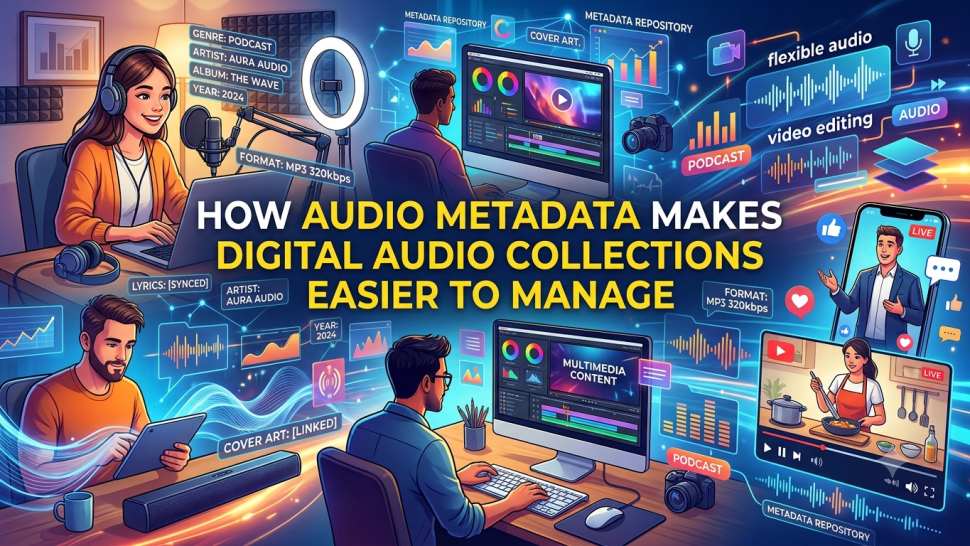

Managing a large collection of digital audio files can be challenging. When you have hundreds or even thousands of songs, finding the right track can take a lot of time. Files with unclear names, missing artist details, or incorrect album information can make things even more confusing. This is where audio metadata becomes helpful. It keeps important information connected to each audio file and makes your collection easier to organize.
Today, people collect audio from different sources, including music libraries, podcasts, online platforms, and YouTube MP3 downloads. As digital audio collections continue to grow, keeping every file organized becomes more important. With the right metadata, users can quickly find their favorite tracks, sort songs by artist or album, and enjoy a better listening experience without wasting time searching through files.
What Is Audio Metadata?
Audio metadata is information stored inside or linked to an audio file. It describes important details about the recording, such as the song title, artist name, album, release year, genre, and track number.
Think of metadata as a digital label attached to an audio file. Just as a book has a title, author, and publisher, an audio file has details that help users understand what it contains.
Some common types of audio metadata include:
Title: The name of the song or audio recording.
Artist: The singer, musician, or creator.
Album: The name of the album where the track belongs.
Genre: The type of music, such as pop, rock, jazz, or classical.
Release Year: The year the audio was released.
Track Number: The song's position in an album.
Artwork: The album cover or thumbnail image.
These details help music players and audio management software display files correctly.
Why Is Audio Metadata Important for Digital Audio Collections?
Audio metadata plays an important role in keeping digital audio collections organized. Without it, audio files may appear as random names or numbers, making them difficult to identify.
For example, imagine having 500 music files saved on your computer. If every file has a name like "Audio001" or "Track002," finding a particular song becomes frustrating. However, when each file includes the correct title, artist, and album information, searching becomes much easier.
Here are some key reasons why metadata matters:
It makes audio files easier to identify.
It helps users sort music into different categories.
It saves time when searching for specific songs.
It keeps albums and playlists properly organized.
It improves how audio files appear in music players.
In simple terms, metadata turns a messy collection of audio files into a well-organized digital library.
How Audio Metadata Makes Audio Files Easier to Manage
Audio metadata offers several benefits that make managing digital audio collections simple and convenient.
1. Find Audio Files Quickly
One of the biggest benefits of audio metadata is faster searching. When audio files have accurate information, users can search by song title, artist, album, or genre.
For example, if you want to listen to a song by a particular singer, you can search for the artist's name instead of checking every audio file individually.
This feature is especially useful for people who have large music collections stored on computers, phones, or external drives.
2. Keep Music Libraries Organized
Metadata helps users group audio files based on different details. You can organize songs by genre, artist, album, or release year.
For example, you can create separate music groups for pop, rock, classical, and instrumental tracks. This makes your collection easier to browse and manage.
Proper organization also helps prevent duplicate files and keeps your music library neat.
3. Identify Songs and Artists Easily
Sometimes, an audio file may have a confusing or incomplete filename. Metadata helps solve this problem by showing the correct song title, artist, and album information.
This is useful when managing audio files collected from different sources. Instead of guessing which song a file contains, you can check its metadata and identify it quickly.
4. Manage Large Audio Collections
As your audio library grows, managing every file manually becomes difficult. Metadata makes this task easier by providing a consistent way to organize information.
For example, music collectors, content creators, and podcast managers can use metadata to maintain large collections without getting confused.
It also becomes easier to move audio files between devices while keeping their important information organized.
5. Improve the Listening Experience
Metadata does more than organize files. It also improves how users enjoy their music.
Many music players use metadata to display song names, artist details, album artwork, and track information. This creates a cleaner and more enjoyable listening experience.
When the information is correct, users can easily browse albums, create playlists, and discover songs from their favorite artists.
The Role of Metadata in YouTube MP3 Files
YouTube MP3 files are often discussed in the context of digital audio collections. When audio files are saved from different sources, their filenames and information may not always be consistent.
For example, a file might have a long title, an unclear name, or no artist information. This can make it difficult to identify and organize later.
Adding or updating metadata can help make these files easier to manage. Users can enter details such as the correct title, artist name, album, and genre to keep their audio libraries organized.
It is also important to remember that changing a filename does not always update the metadata stored inside the audio file. Both should be checked when organizing a collection.
When obtaining audio from online platforms, users should also follow copyright rules and the platform's terms of service.
How Tools Like Flvto Fit into Digital Audio Management
People often come across tools like Flvto when exploring online audio conversion options. Such tools are associated with converting online video content into audio formats.
However, converting a file is only one part of managing a digital audio collection. Once an audio file is available, it still needs proper organization.
For example, users may need to check the filename, add missing artist information, update the song title, and include album details. These steps help ensure that audio files remain easy to identify and manage.
The key point is that audio conversion and audio organization are two different tasks. While conversion focuses on changing file formats, metadata focuses on keeping audio information clear and structured.
Always make sure that any audio you download or convert is obtained with the necessary rights or permission.
Best Practices for Organizing Digital Audio Files
Keeping your audio collection organized does not have to be difficult. Following a few simple practices can make a big difference.
Use Clear File Names
Choose filenames that include the song title and artist name. Avoid random numbers or confusing words that make files difficult to recognize.
Add Complete Metadata
Make sure every audio file includes important details such as title, artist, album, genre, and release year.
Organize Files Into Folders
Create separate folders for different artists, albums, genres, or audio types. This makes browsing your collection easier.
Check for Duplicate Files
Duplicate songs can take up extra storage space and make your library look messy. Review your collection regularly and remove unnecessary copies.
Keep Metadata Consistent
Use the same naming style and information format across your collection. For example, write artist names consistently instead of using different versions of the same name.
Update Your Audio Library Regularly
Whenever you add new files, check their metadata before placing them in your collection. This small habit can prevent bigger organization problems later.
Conclusion
Audio metadata makes managing digital audio collections easier, faster, and more convenient. It helps users identify songs, organize music libraries, find files quickly, and enjoy a better listening experience.
Whether you have a small music collection or thousands of audio files, adding accurate metadata can save time and reduce confusion. Simple details like song titles, artist names, album information, and genres can make a big difference.
By following good organization practices and keeping metadata updated, you can build a clean, searchable, and well-managed digital audio library.



Share the News